
The SportyBet Android app stands out as a popular choice among Ugandan sports fans who want to wager using their phone, tablet, or any other mobile gadget. Its lightweight build and mobile-first interface allow quick and easy navigation, whether a user wants to check live scores, switch between sports events, or use their account settings. The simple colour scheme and intuitive menu bar on the bottom of the homepage give the whole design an uncluttered, easy-on-the-eyes look that is especially handy for new users.

Sportybet Android App Uganda: APK Download & Install Guide
Operating system
Android 5.0
RAM
1GB
Memory
300 MB
Languages
English, Swahili
SportyBet Welcome Bonus
150%
SportyBet carries an international offshore gaming license, which gives a sense of trust and legitimacy for those in Uganda. Many users in the country enjoy Android phones and tablets that fit perfectly with this app’s minimal hardware requirements. The app is visually appealing rather than chaotic or crowded, so navigation feels smooth even for those new to mobile betting.
SportyBet Bookmaker App: Step-By-Step Guide On Installation
The team behind the SportyBet Android app has built it to work on many different devices, no matter if users are on older or newer Android versions. The installation is designed to be quick and easy, keeping mobile users in mind.
| Parameter | Description |
|---|---|
| License | International offshore license supports operations in Uganda |
| Operating System Version | Android 5.0 or later; iOS 11.0 or above |
| Free Memory Space | App needs about 50–80 MB of available space |
| RAM | At least 1 GB RAM is recommended for smooth use |
Supported Android Devices
SportyBet’s app works across a wide range of Android phones and tablets, thanks to flexible software that covers models running Android 5.0 or newer.
Users with devices from brands like Samsung, Nokia, Sony, LG, HTC, Motorola, and Xiaomi can typically download and use the app without issue. Even if a particular model is not listed—like in Lenovo’s case—it doesn’t rule out the possibility. Simply attempt the download, as the app often installs smoothly on many unlisted Android smartphones or tablets if the core requirements are met.
How To Download & Install SportyBet Sports Betting App On Android?
Downloading and setting up the SportyBet Android app involves only a handful of steps, and this same guide works for both phones and tablets. There are no major differences for tablets, aside from larger on-screen elements, so the general process remains identical for every Android gadget.
1
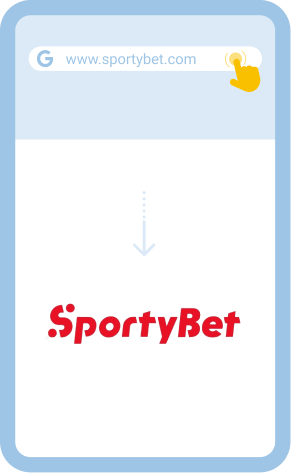
Visit The SportyBet Official Website
Go to the SportyBet official site using your Android phone or tablet and move to the registration page.
2
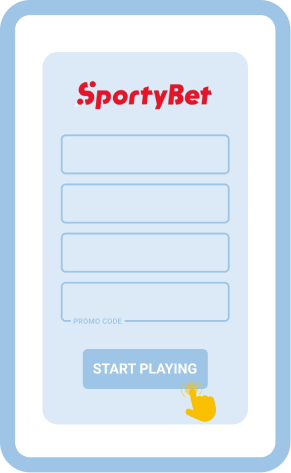
Create And Verify Your Account
Enter your details, complete any required verification via SMS or email, and confirm your profile before downloading.
3
Download The SportyBet App From Google Play
Click the Android download link and if available, you will be redirected straight to Google Play for a secure installation process.  Download SportyBet Android App
Download SportyBet Android App 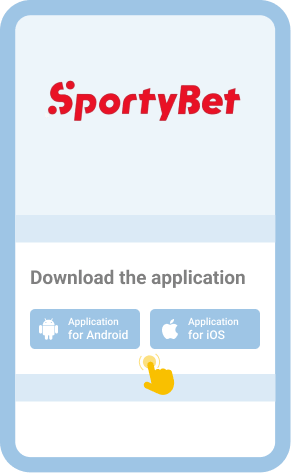
4
Wait For The App To Install Automatically
After Google Play finishes the download, find the SportyBet app icon on your device’s main screen to launch it for the first time.

If the app still doesn’t seem right for your needs or your device struggles with the download, you can always use the SportyBet mobile website through your browser. This option works just as well for betting straight from your phone or tablet.
Comparison Of The Old And Latest Android App Versions
Some users may already have an earlier version of the SportyBet Android app installed, and it’s not always obvious if you’re using the latest version. Comparing the old and current releases can help users understand what they might gain from updating.
| Criteria | Old APK Version | Latest APK Version |
|---|---|---|
| Bugs/errors | Runs with occasional errors | Frequent updates reduce major bugs |
| Security | Some vulnerabilities still present | Security patches and improvements applied |
| Features | Outdated features | Updated with fresh sports tools |
| Compatibility | May not support new Android releases | Designed for widest compatibility with modern systems |
| Performance | Smaller app, faster load times | Smoother, but may require more resources |
To update, users who got SportyBet from Google Play can activate Auto-Updates on their Android device for the latest version automatically. Those who used a direct APK file should download the new version from the official SportyBet site to make sure they get genuine, up-to-date software—without relying on risky third-party stores.
How To Log In To SportyBet APK?
Logging into the SportyBet app on Android mirrors the desktop approach, though users should always follow the right steps for security. Safe login protects personal details and ensures access to all app functions.
1
Open The SportyBet App From Your Device
Find the SportyBet app on your Android phone or tablet and tap to launch it right from your screen.
2
Enter Your User Information In The Form
Tap the “Sign In” or “Log In” button, then type in your registered phone number and password in the fields provided.
3
Access Your Personal Profile After Successful Login
Once you’re in, review your account dashboard to check balance, past bets, or activate any current promotions before proceeding further.
4
Make A Deposit And Start Placing Bets
Choose a payment method to add funds or browse bonus offers, then begin exploring the full schedule of upcoming sports events to place your wagers.
For those who still prefer not to download the Android app, the mobile-friendly SportyBet site is always accessible from any browser. Add this site as a shortcut on your phone or tablet home screen—simply use the browser menu option “Add to Home screen”—to keep the SportyBet site just one tap away.
Bonuses And Promotions You Can Find On SportyBet App For Android Phones And Tablets
SportyBet’s Android app rewards users with regular bonuses, from account creation to ongoing weekly and event-based offers. These promotions often help bettors elevate their excitement and try different sports markets.
- Welcome Bonus: SportyBet welcomes all new Android users with a starting bonus—details change from time to time, so check the app for the current offer.
- Free Bets: Users receive free bet credits during special promotional campaigns available directly through the app.
- Combo Bonuses: Placing accumulator or multi-bets with qualifying selections often unlocks extra bonuses, increasing the potential market reach.
- Cashback Offers: Selected events or lost stakes sometimes qualify for cashback, which arrives as a refund in your user wallet.
- Ongoing Promotions: The app features a dedicated promotions section where you find new contests and season-long offers listed regularly.
No special bonuses are available just for downloading the app itself, but the bonus terms are easy to find and follow right inside the app.
Accepted Payment Methods
Payments in the SportyBet Android app follow secure, straightforward steps that cater to Ugandan bettors. Users find leading local mobile money services like MTN Mobile Money and Airtel Money, along with Visa and Mastercard options, plus other supported regional alternatives. USSD and SMS-based payments also work with some mobile providers, allowing deposits and withdrawals for almost anyone with a phone—not just those with smartphones.
Deposit and withdrawal times are generally quick, usually processing within a few minutes depending on the chosen method, though the first payout may require ID verification (KYC) for security. Minimum deposits start as low as 1,000 UGX, while maximum limits depend on each payment provider and SportyBet’s internal policy.
Mobile wallet support is solid, covering options like Google Pay (where available) and other digital solutions familiar to Android users. Transaction details, limits, and updated terms sit clearly laid out in the payment section of the SportyBet site or in-app cashier.
Common Problems With SportyBet Android App Installation
Although the installation of SportyBet on Android tends to go smoothly, sometimes users do hit snags. These issues are not unusual with any modern APK or Play Store download, and the fixes are usually easy.
| Problem | Solution |
|---|---|
| App won’t download | Try freeing up space and connect to a stable WiFi, then retry |
| App won’t install | Make sure the Android version is supported, then reinstall the APK or update Google Play |
| App won’t launch | Restart the phone or clear the app cache in device settings |
| App crashes | Check for new app updates or reinstall using the latest version |
If these problems continue, SportyBet’s customer support gives quick help. Users can try these channels:
- Email: [email protected]
- Live Chat through the SportyBet website or app
- Help/FAQ section for troubleshooting
Disclaimer
While the convenience of the SportyBet Android app draws in many users, this easy access increases the temptation to place bets too often or for stakes that feel too high. Responsible sports betting should always be a priority, especially with mobile gambling apps.
- Set time or budget limits, and never wager more than you can afford to lose.
- Block notifications when you need a break, and avoid emotional betting after a loss.
- If you sense you’re losing control, reach out to local help services or international organizations such as Gamblers Anonymous for confidential advice.
FAQ
Do I Need A Separate Account To Bet On Sports On The SportyBet Android Application?
No, users do not need to create a separate account to use the SportyBet Android app. The same account credentials work across the Android app, the desktop platform, and the mobile site. Whether you originally signed up via browser or directly through the app, you simply sign in with your phone number and password to use all features. This single account system makes switching between devices or platforms both smooth and secure for users in Uganda.
Which Is Better: SportyBet Android App Or Mobile Site?
Both platforms serve much the same functions, but the SportyBet Android app provides a faster, smoother experience tailored for smaller screens. The app loads events, live betting options, and account menus more quickly and uses less data than the browser site. Still, the mobile site is a solid fallback for users who want to avoid downloads or whose phones have little storage left. The final choice depends on personal habits and which user interface feels best in daily use.
How To Update The SportyBet Android App To The Latest Version?
Updating the SportyBet Android app is simple if you have downloaded it from Google Play, as the store usually sends update notifications or installs updates automatically. If you installed the app via direct APK, you will need to visit the SportyBet official website and download the latest version manually. Always remove the old app before installing a new APK to prevent problems. Keeping the app updated brings new features and patches important security gaps, so regular checks are a smart idea.