

Premierbet is the premier destination for sports betting and online casino gambling in Uganda. At this betting site, you can indulge in pre-match or live betting in football, basketball, handball, and American football or play a wide range of video slots. But you must log into your account in order to take part in real money gambling as you must first top up your account balance.

The good thing about the login process is that it’s simple and straightforward, and thus, you will sign into your account without any assistance. Anyways, we’ll guide you through the procedure in this piece.

Premierbet Online Login

The gambling organizer allows punters to sign into their accounts via the internet. All you need is an internet connection and a personal computer or an internet-enabled mobile. You should then access the wagering site via one of the available platforms.

How to Sign in to Premierbet Account Through Website

This method entails logging into your account through a browser that’s installed on a computer or a mobile browser. The login procedure is simplified, and as such, you only need to complete a couple of steps as demonstrated below.

  • Step 1: Open the official website of Premier on a browser. To make sure you are using the authentic betting site, you should follow the link attached on this website to access Premierbet.
  • Step 2: Press the “LOGIN” button. The login window will pop up on your screen once you click this button.
  • Step 3: Enter your login credentials. Use the mobile phone number you had used to register your account as the username and then input password in the next field.
  • Step 4: Click “Login” button. Confirm whether you have entered the correct login details and then press this button to access your account.

What you will like the most about the betting site is that you can access it using an old computer or mobile device because it’s very adaptable.

How to Sign in to Premierbet Account Through Mobile App

If you have an Android smartphone or a tablet, then you can sign into your Premierbet account through its mobile app. You will only need to complete the few steps illustrated below.

1
Go to the mobile site of Premierbet

Use your mobile browser to open the link to Premierbet we have provided you with.
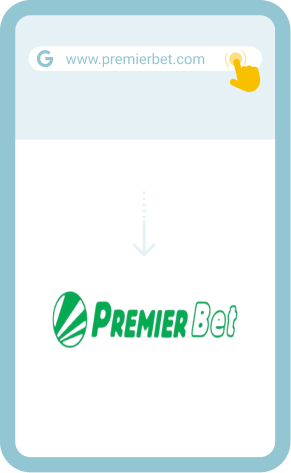
Go to the mobile site of Premierbet

2
Download the mobile app

Tap the hamburger button at the top left corner of the user interface and then press “Get Android app” to download the application.
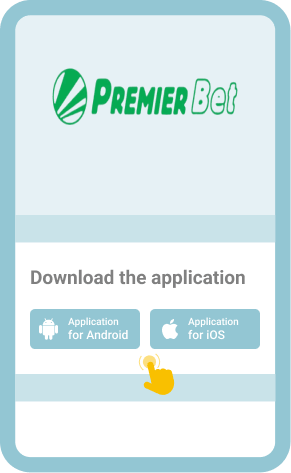
Download the mobile app

3
Install the app

Once the file is downloaded, open it and click “INSTALL” to initiate the installation process.
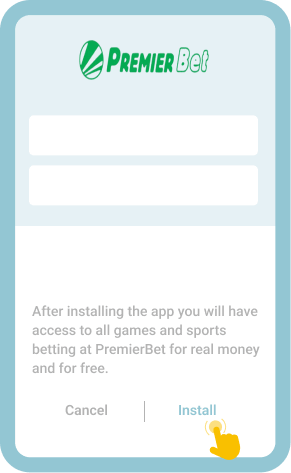
Install the app

4
Open the app and log into your account

When the app appears on the screen of your device, you should open it and proceed to log into your account.
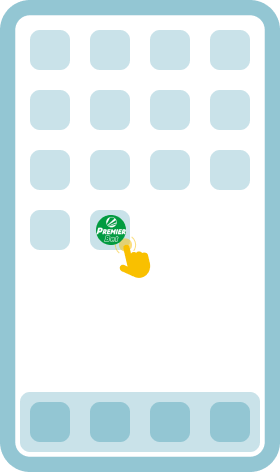
Open the app and log into your account

Since the betting operator has not yet released a downloadable mobile app for Apple mobile devices, you should use your Safari browser to sign into your account at Premierbet in the meantime.

Welcome Bonus
200% up to 720 000 UGX
50 FS

Common Login Issues at Premierbet Uganda

Some Ugandan bettors have reported various problems during the login process. It’s primarily for this reason we have decided to analyze the most common issues and provide solutions to them as explained in the table below.

Keenly study the table to know how to overcome various challenges when attempting to sign into your account at Premierbet.

Problem How to resolve it
Invalid phone number You should doublecheck your phone number to make sure that you have entered it correctly to avoid coming across this issue. Also note that you can’t use a different phone number other than the one you registered with.
Wrong password If you can’t remember your password, you should click “Forgotten password?” to go to the page where you will enter your username to be sent a password reset code via email or SMS for you to create a new password.
Failure to get a Google Authenticator code You should contact customer support via your registered email address and request them to disable two-step verification in your account. You can later add the Premierbet key to Google Authenticator and enable two-factor authentication in your account.
Error loading the login page You should ensure that your internet connection is strong and stable before trying to sign into your account at Premierbet. Otherwise, the page won’t load even if you attempt to load it for a thousand times.

If the issue you are facing isn’t among the ones elaborated in the table above, you should ask customer support how you can resolve it. 

Getting in Touch with Customer Service

Premierbet offers Ugandan gamblers customer support services via tall free phone number: 0800300400, Facebook, and email: [email protected]. Whichever communication method you will choose to use, you will find a support operator ready to help solve your problem for you to be able to sign into your account.

FAQ

Is it safe to stay logged in at Premierbet Uganda?
No. It’s not advisable to stay logged in, especially if you share your device with other bettors, as they can access your account without your permission and potentially compromise the safety of your personal data.
Can I change the password I use at Premierbet numerous times?
Yes. You can change your password whenever you feel like. In fact, you are supposed to keep changing your password to minimize the risk of your account being accessed by unauthorized persons.
Can I change the phone number I registered with in case I stop using it?
Yes. If you change your phone number, you should inform the betting operator without further ado and request them to update your personal information in their system accordingly. That way, you can login using your new phone number.