Betsure Online Login
Accessing your Betsure account is frictionless if your internet and WiFi connection are stable. The platform works seamlessly across different devices, giving you multiple ways to sign in. Besides, you can log in via a desktop website, a mobile site, or a standalone app.
How to Sign In to Betsure Account Through Website
Signing in via the website is the easiest way to access your Betsure Uganda account on any device. Follow this step-by-step guide to log in through the website:
- Step 1. Visit the site: Navigate to the official website of Betsure Uganda using a web browser.
- Step 2. Hit the “Login” button: Click on the login button in the upper right corner.
- Step 3. Key in your login details: Enter your phone number and password in the login screen.
- Step 4. Click on the “Go” button: Click on the Go button to complete the login process.
How to Sign In to Betsure Account Through Mobile App
Betsure offers a dedicated mobile app, making it accessible with ease across smartphones and tablets. However, the application is designed for Android devices.
Here’s how to login via the app:
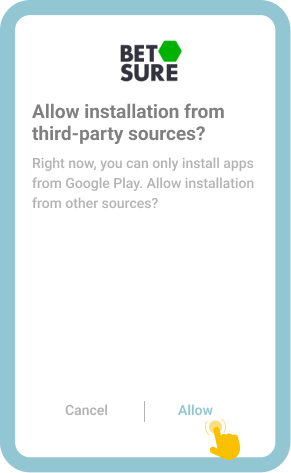
Go to “Settings” on your mobile device and allow installations from unknown sources.

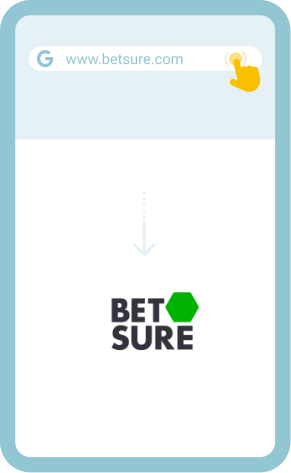
Open the official website of Betsure in a supported mobile browser.

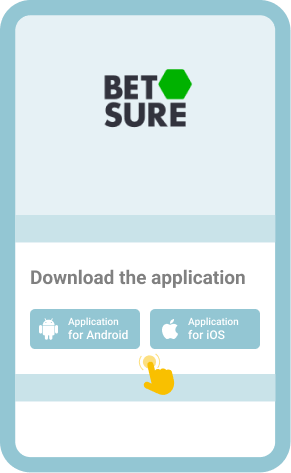
Go to “All” followed by “App” and download the application.

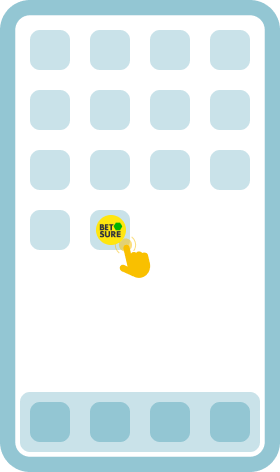
Launch the application after a successful installation and log in to your account.

While there’s no mobile app for those with iOS devices, you can access Betsure on your iPad or iPhone and have fun. To do that, open the website in your Safari browser. The system will redirect your to a mobile site.
Common Login Issues at Betsure Uganda
Users may encounter login issues with gambling sites. It happens even with a user-friendly platform like Betsure. Therefore, understanding common problems and how to handle them will help you access your Betsure Uganda account uninterruptedly.
The following table outlines some of the common login problems and how to address them.
| Problem | How to resolve it |
| Forgot password | Contact the support team to help you set up a new password. They’ll send you a link for resetting the password. |
| Login page won’t load | The host server might be experiencing downtime. If that’s the case, wait for the issue to be sorted out. You can also clear your browser cache and cookies. If that doesn’t work, use a different browser. |
| App crashes | Check if there’s enough storage space on your mobile device. Consider removing any applications you no longer use. Updating the up to the latest version can also solve the problem. You can also uninstall the app and download a new copy. |
| Account lockout | If it is a short-term lockout occasioned by several unsuccessful login attempts, you can wait for it to end. Failure to verify your identity after being asked to do so can lead to a lockout. Ensure you verify it in time. |
Getting in Touch With Customer Service
Users can contact the Betsure support department for help should the issues remain unresolved. The support team comprises knowledgeable and approachable agents. In addition, there are several effective ways to contact them for help.
You can seek help with any login issues using the following contact channels:
- Live chat: Available 24/7
- Email: [email protected]
- Phone: 256777943999 (MTN), 256708112111 (Airtel)
- WhatApp: 256708112111