
The BetPawa Android app stands out in Uganda’s sports betting scene, partly because it works smoothly on almost any modern smartphone or tablet. You notice right away that the design is clean, light on graphics, and genuinely focused on mobile betting. Green and white dominate the color scheme, making important functions and odds clear, while the menu bar sits conveniently at the bottom for quick navigation around sports, bets, promotions, and support. BetPawa keeps the homepage tidy with highlighted matches, ongoing promos, and simple access to a bet slip, which makes using the app feel easy on the eyes rather than cluttered or stressful.

Betpawa Android App Uganda: APK Download & Install Guide
Operating system
Android 5.0
RAM
1GB
Memory
300 MB
Languages
English, Swahili
BetPawa Welcome bonus
---
Uganda has seen a steady growth in Android gadget usage, making BetPawa’s mobile-first approach a smart move for the local market. The brand operates fully within legal frameworks and maintains strong reputations in several African countries. You can trust the legitimacy of BetPawa’s Android app as it follows all relevant regulations and comes from reputable developers, which is important for users who care about fair play and security.
BetPawa Bookmaker App: Step-By-Step Guide On Installation
BetPawa’s developers focused on compatibility and simplicity so anyone with a phone or tablet running a not-so-old Android version can use the app. Whether you have a basic device or a feature-packed smartphone, installing the app takes minimal effort and works smoothly for new and regular bettors alike. Use the following table as a handy summary of compatibility and technical requirements.
| Parameter | Description |
|---|---|
| License | Operates fully under regional African regulation |
| Operating System Version | Android 5.0 and later, iOS 11.0 and later |
| Free Memory Space | Usually needs 50-80 MB storage space on your gadget |
| RAM | 1 GB RAM supports stable app use |
| Available On Google Play | Yes, for Uganda (may depend on your device and region) |
 Download BetPawa App for Android
Supported Android Devices
BetPawa’s Android app comes optimized for a wide range of phones and tablets, suiting almost any user in Uganda. Whether you own a Samsung (Galaxy S, A, M, Note, J Series), Nokia C Series, Sony Xperia, LG K or G series, HTC Desire, or Motorola G and E models, the app should work as long as your device is not older than Android 5.0.
Plenty of other popular gadgets like Xiaomi Redmi and Mi lines also support the app without any hassle. Even if you do not see your exact phone or tablet in these examples, it does not always mean it will not run the app. Starting the download from the official site or Google Play is usually enough to check compatibility.
How To Download & Install BetPawa Sports Betting App On Android?
Getting the BetPawa app onto your Android phone or tablet is straightforward, and tablet users will notice the process looks the same except for screen layout adjustments. Here is a step-by-step guide that keeps things easy for every type of bettor.
1
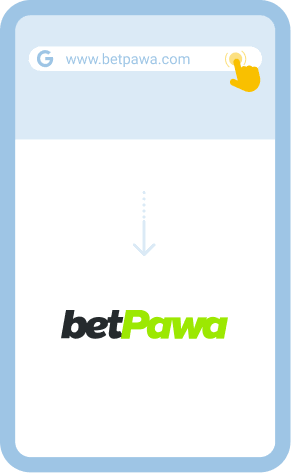
Go To BetPawa Official Website
Head directly to the BetPawa website using a phone or tablet and create a new account if you do not have one.
2
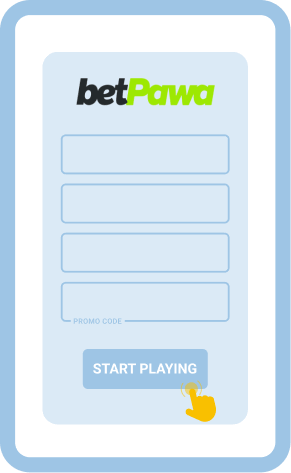
Register And Confirm Details
Fill out the quick sign-up form, double-check your phone number or email, and go through a simple account verification.
3
Download The BetPawa App
Navigate to their application download section. For Uganda, you will get directed to Google Play if your gadget supports it. If not, download the APK file and prepare for manual install. Download BetPawa Android App
Download BetPawa Android App 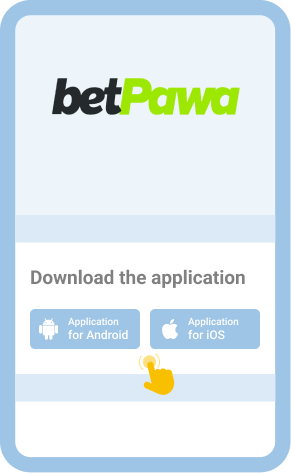
4
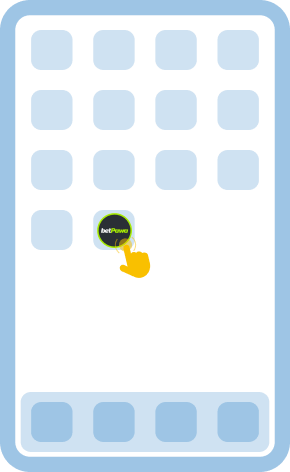
Install And Launch The App
If you got the app from Play Store, wait for a quick auto-install. Those with an APK file must approve unknown sources, then run the install and start betting from the home screen.
If you prefer not to use an app or cannot download it for some reason, you can always place bets directly through the BetPawa website in your phone or tablet browser.
Comparison Of The Old And Latest Android App Versions
Some loyal BetPawa bettors in Uganda might still have older APK versions, which may look and work differently than the current release. The table below highlights the main differences you should know.
| Criteria | Old APK Version | Latest APK Version |
|---|---|---|
| Bugs/errors | Noticeable lag or freezing | Fewer bugs and smoother flow |
| Security | Opens risk of outdated features | Upgrades to patched and safer code |
| Features | Limited or basic bet slip tools | Fresh promos and advanced features |
| Compatibility | May not work on new gadgets | Updated to support new Android models |
| Performance | Faster on older devices | Could be heavier but more stable |
Users who want to get the newest features and best security should update their app whenever possible. If you download the app from Google Play, you can switch on Auto Updates in your phone settings. For APK users, the official BetPawa site always lists the latest available installation package—just re-download and install.
How To Log In To BetPawa APK?
BetPawa has made the mobile login flow nearly identical to its desktop version, making it a familiar process for those who already use the website. Secure sign-ins matter because they protect your funds and personal details, so following these steps means you stay on the safe side.
1
Launch The BetPawa App
Tap on the BetPawa icon on your phone or tablet to open the app.
2
Enter Your User Details
Click the “Sign in” button then fill out your registered phone number and password or PIN.
3
Confirm And Access Your Account
Once your details look correct, hit the confirm button to move into your personal account dashboard.
4
Deposit Funds And Start Playing
From your dashboard you can add funds, activate any bonuses, and place your sports bets – all within the app.
For those who want to use BetPawa without downloading an app, the browser version always stays open as an option. You can even add a shortcut to your home screen for fast access by choosing “Add to Home Screen” from your Android browser’s menu, which gives a near-app feel.
Bonuses And Promotions You Can Find On BetPawa App For Android Phones And Tablets
BetPawa’s Android app features a flexible set of bonuses aimed at new and regular bettors, displayed right in the promotions tab for easy reference. These are built to improve the betting journey for both sports and multi-event fans.
- Welcome Bonus: Bet-and-get deals, where users get rewarded after placing a qualifying first or early bet on sports.
- Free Bets: App users can receive free bets issued during promotional campaigns.
- Ongoing Promotions: The app publishes time-limited offers and permanent perks under its promotions section, like special odds and combination bet promos.
All bonus rules, qualification terms, and payout conditions are in the app’s terms – check these before you play.
Currently, there are no special bonuses just for downloading the BetPawa app, but all regular promotions are open for mobile bettors.
Accepted Payment Methods
Payments within the BetPawa Android app cover all the popular local channels, so users find options they already use. You can deposit or withdraw funds using Uganda's top mobile payment systems, cards (Visa or Mastercard), or reliable online payment apps available inside the Cashier area.
USSD and SMS payments might be available depending on the payment partner integration for your network. Most deposits process instantly or within minutes, while withdrawals might take up to a few hours. Average deposit amounts tend to start as low as UGX 1,000, with higher maximums set by mobile network rules. KYC verification might be required for first time withdrawals or larger transactions.
BetPawa also supports mobile-specific options, including Google Pay and other wallet integrations if available in your region. Always check the payment page inside the BetPawa app for full details about fees, processing time, and account limits. All financial rules and requirements are clearly detailed in the app and on the BetPawa website’s T&C.
Common Problems With BetPawa Android App Installation
Some Ugandan bettors occasionally face problems when downloading or installing the BetPawa Android app on their phone or tablet, but most troubles are easy to fix.
| Problem | Solution |
|---|---|
| App will not download | Check your internet connection and storage space, then retry download from Google Play or BetPawa’s official site |
| App will not install | Update your Android version or confirm settings permit installation from unknown sources, then attempt again |
| App will not launch | Restart your phone or tablet, clear the app’s cache, and open the app once more |
| App crashes | Uninstall then reinstall the app, and make sure your gadget has sufficient memory before launching again |
Reach out to customer support if you keep running into trouble using one of these channels:
- Email ([email protected])
- Live Chat in the app or website
- In-app FAQ/help center
Disclaimer
Sports betting can be fun, but mobile apps like BetPawa make quick bets so easy that it is important to keep responsible play in mind at all times. Staying mindful of your activity can help you avoid forming risky habits or placing wagers beyond your means.
A few simple tips:
- Set limits before you start betting and stick to them;
- Only play when you feel in control—never chase losses or act out of frustration;
- Take breaks between betting sessions, especially if you lose a bet or start to feel stressed.
If you or someone close to you needs support, Uganda has resources and helplines dedicated to responsible gambling advice.
FAQ
Do I Need A Separate Account To Bet On Sports On The BetPawa Android Application?
You use the same BetPawa account whether you play on the Android app or directly in a phone or tablet browser. When you register your details on BetPawa, your login credentials, account balance, and all personal settings work seamlessly across devices and platforms. There is no need to make a different profile or use separate login information.
Which Is Better: BetPawa Android App Or Mobile Site?
The app runs a little quicker, since it stores certain assets directly on your phone. Notifications, direct access, and built-in security tools also come as part of the dedicated app package. The mobile browser site, however, skips the download and lets you play straightaway from any device, which can be helpful if your gadget is short on space or not fully compatible.
How To Update The BetPawa Android App To The Latest Version?
If you downloaded the app from Google Play, open the Play Store, search for “BetPawa,” and tap “Update” if you see that option – or switch on automatic updates through your app settings. For APK users who installed the app directly from BetPawa’s website, it is a good practice to visit their official site and download the new APK as soon as the company announces a new release.